A few years ago, a colleague shared a substack post describing the relationship between compression and prediction. It also asserted a principle, “If you can compress a sequence well, then you can usually predict well.”
Once I got my head around the idea, I started seeing it everywhere. A title is a compressed version of a book. It also predicts what the book is about. A Ramen shop menu compresses a lot information about the restaurant into long lists of items. The name of my favorite, Spicy Miso Salmon Ramen, predicts how my sinuses will respond to the hot fire of miso and chillies.
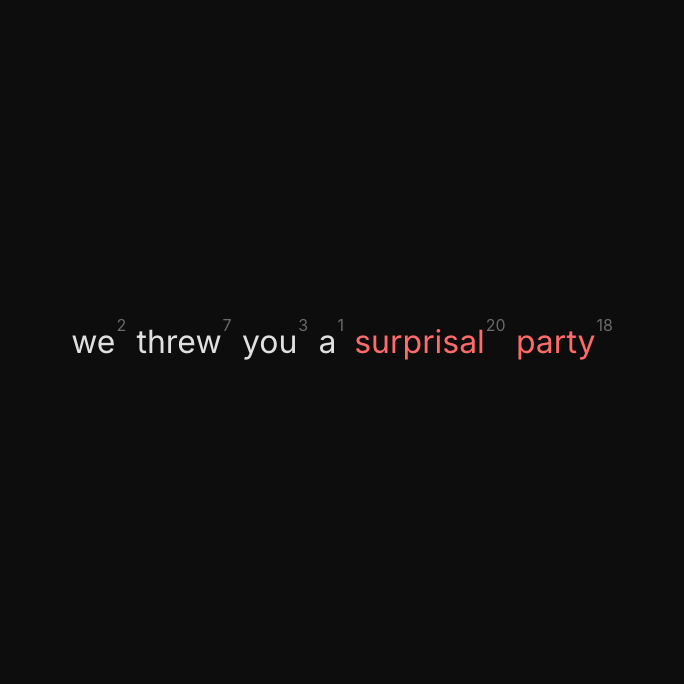
Bundled into this idea is the concept of a surprisal value. Imagine you're a predictor trying to uncompress a body of text. The act of re-sequencing the words is a prediction job. Words that are hard to predict, the words that will likely surprise you, have a high surprisal value.
It reminds me of a geological erosion timelapse. You’ve probably seen these. We compress time and witness soft material washing away while durable forms remain. Durability in the context of language is informational rather than physical. Durable elements hold information not easily recovered from context.
Durable information has a cost. The cost is its surprisal value. If you want to unpack it well from a compressed version, like clothes from your overstuffed suitcase at the end of a long trip, you have to pay in one way or another. Your sweater will never look the same again. But it was worth it.
The project
Check out the project at https://surprisal.party
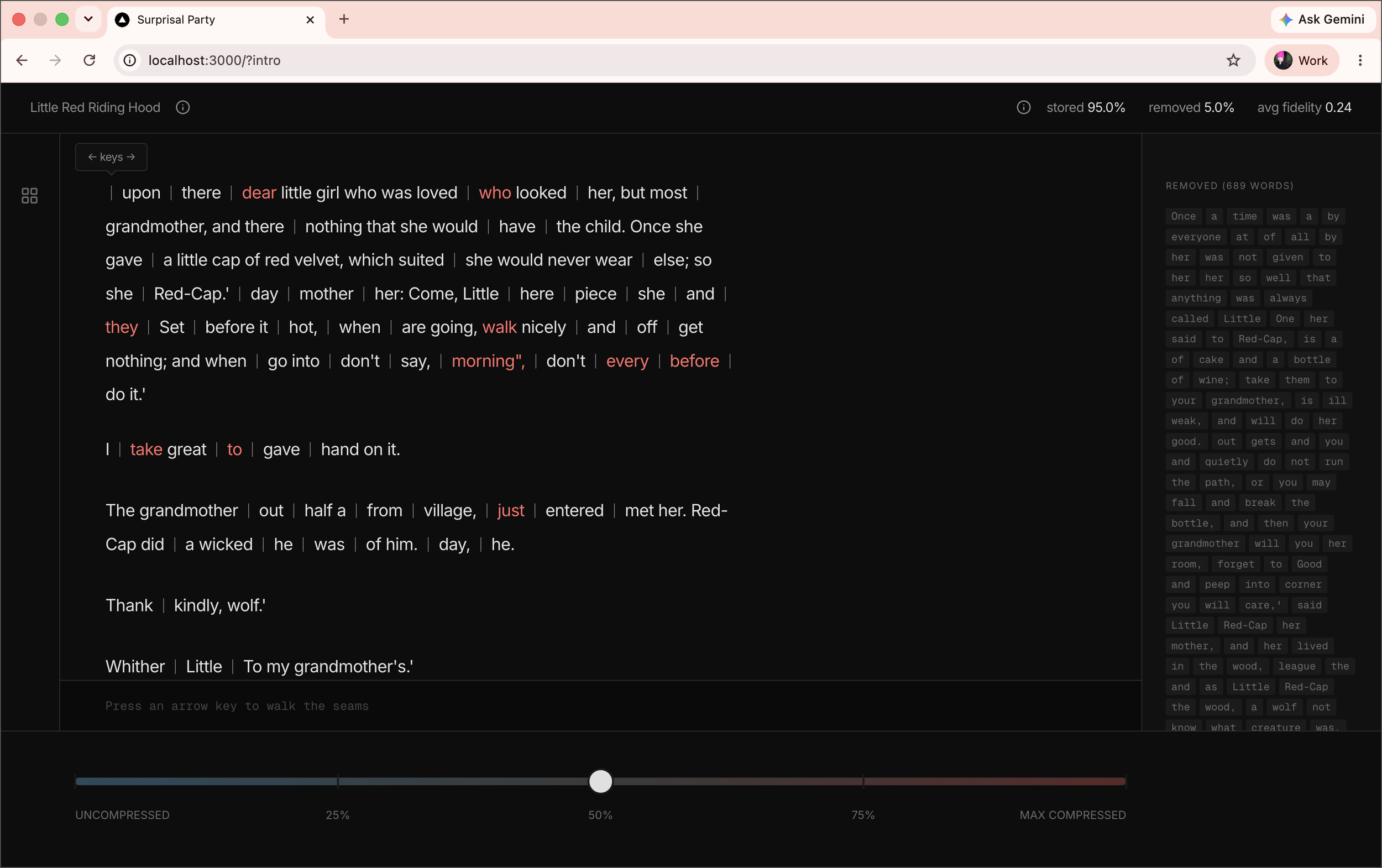
To retain concepts like this, I like to visualize them. Surprisal Party is a demonstration using an LLM as a compressor assigning surprisal values to a body of text. Dragging a slider increases the surprisal threshold and predictable words drop out. Drag to maximum compression and the irreducible information remains, the proper nouns, the unexpected turns, the moments the story could not have predicted for you.
The LLM is also the predictor. As compression increases, the same LLM predicts the missing words and hides them between the more durable segments. Users can reveal the predictions and their fidelity by stepping through the seams and comparing predicted versus actual.
The Build Process
Proving the pipeline. Before any design work, the core mechanic had to be credible and viable.
I started by brainstorming ideas around the UX with Claude in a narrative format
The narrative became the brief I used to explore technical options with Claude Code like how a slider could drive changes in surprisal threshold and how preprocessing everything and caching the values was the only viable approach
We landed on using a Python pipeline to generate static JSON from public domain corpora with a NextJS frontend with no live LLM calls
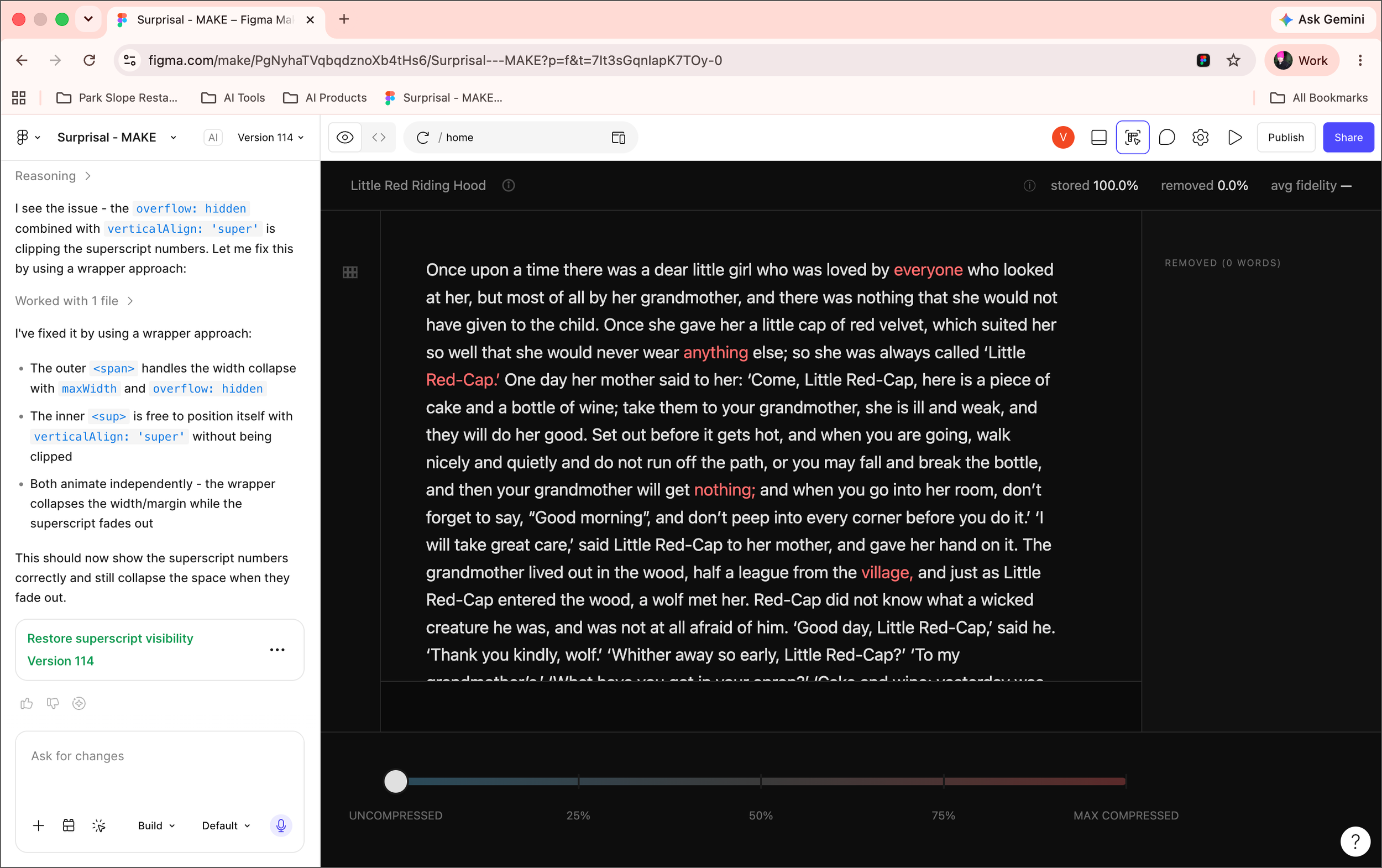
Figma Make → Figma Design → Claude Code iteration loop. Because the UX was critical to communicating the idea, I took a design led approach.
I wrote a detailed UX brief and set of user scenarios and used Claude to convert them into prompts for Figma Make which converted the written guidelines into a working interactive prototype
As I developed the prototype I riffed on the UX and refined it
I fed those refinements fed back into the brief and the user scenarios
I copied the various UI flows from Figma Make to Figma Design pages, one theme per page, one scenario per section, a format Claude Code can easily understand when connecting to Figma Design via MCP
With the expected behavior described in both written and visual form, Claude Code created an implementation plan which resulted in fast initial build requiring only minor fixes and refinements
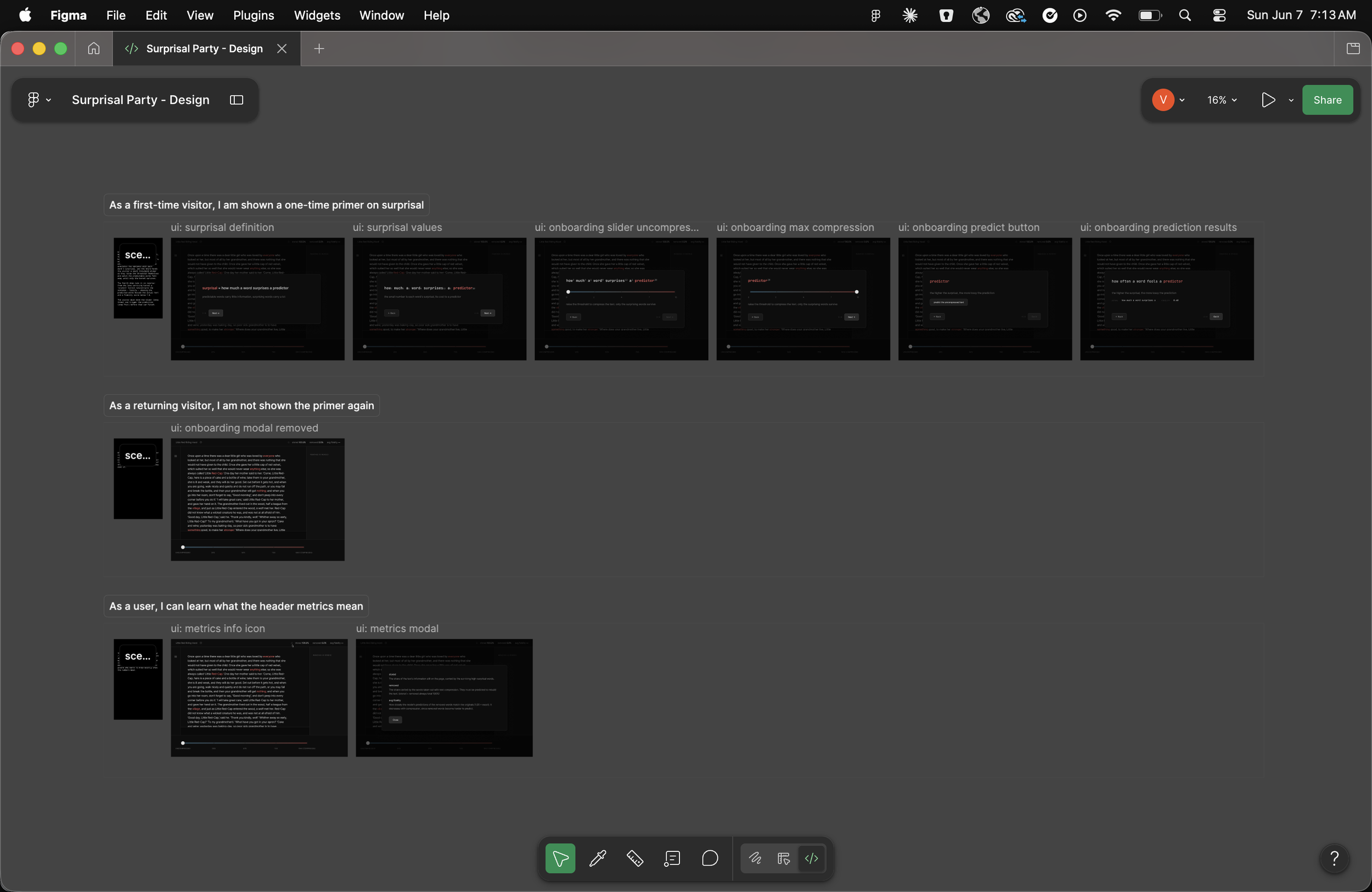
Claude Code → Figma Make → Figma Design alignment. Because I wanted to riff and refine at this stage, the final working version drifted from the Figma designs, a common effect of continuous iteration. Because I wanted to use static representation of the UX as evaluation criteria for end to end tests, I reversed the above workflow,
Claude Code replayed the changes as realignment prompts for Figma Make
Figma Make regenerated the affected prototype screens
I replaced those in the Figma Design file
The loop ran in reverse. Implementation drove the prototype and the prototype updated the design reference.
A Playwright + Figma MCP + Claude skill to close the loop. I have some ideas for further refinements. But given the importance of UI/UX alignment, I wanted confidence any changes would not drift from the design concept.
I built a Playwright driven testing layer with specs to drive each user scenario. They also captured associated screenshots
A second layer uses a Claude skill that pulls each corresponding static Figma frame via the Figma MCP and judges general alignment against the captured screenshot
Any drift surfaced by the review was routed back to the realignment step. Both layers ran through the same coding-agent loop, and the screenshot-to-frame mapping was explicit and versioned in a YAML file.
Explore it yourself
The live app, the design file, and the full source are all public. If you want to see the app in action, check out the designs, or read through the implementation, these are the places to start!